
Immerseum · AR Museum Experience
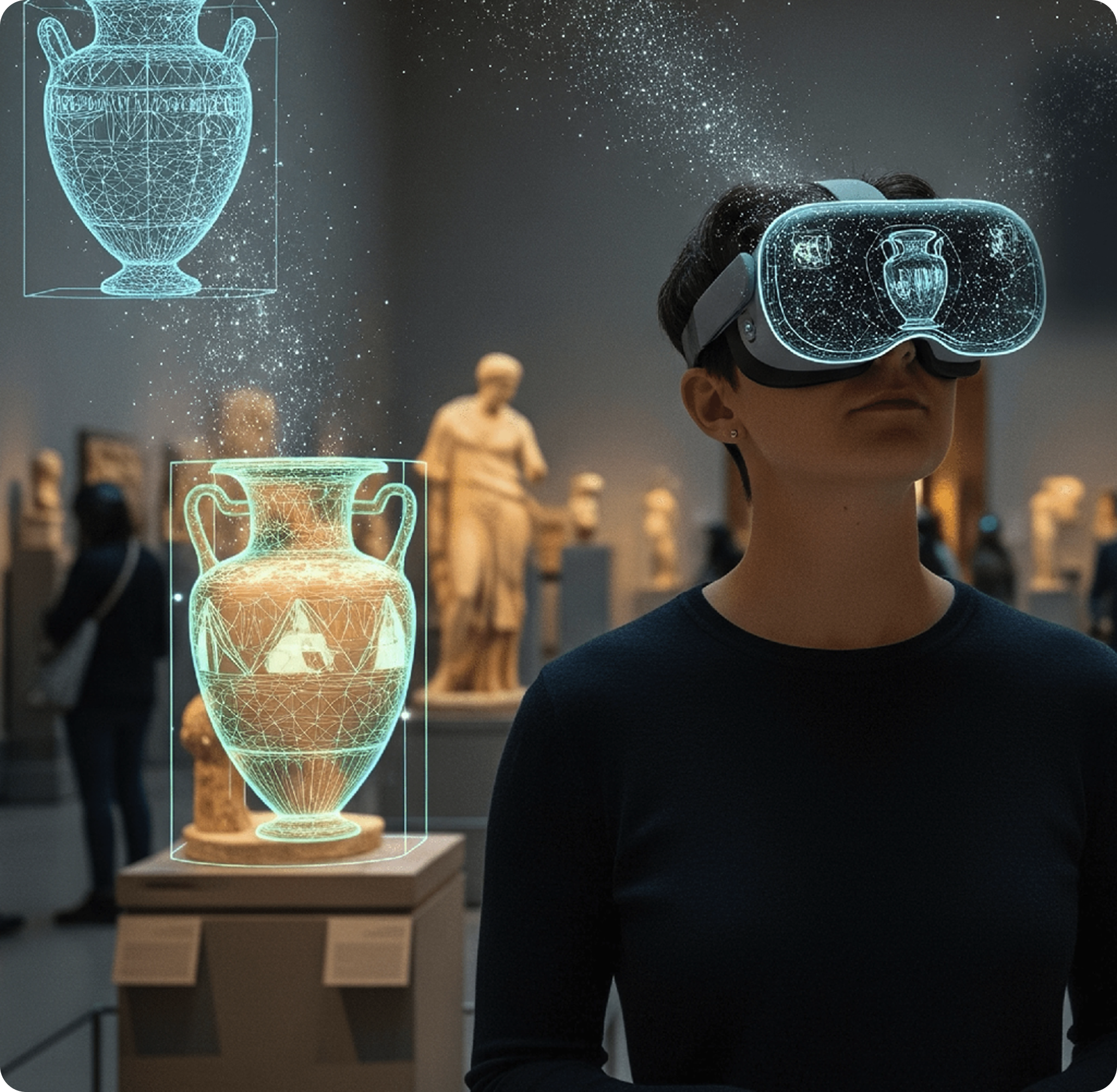
Prototype · UX Design · AR / XR · MuseumImmerseum is an AR museum experience prototype designed around Meta Quest 3 that explores how visitors might interact with exhibits through spatial overlays, voice-guided tours, and haptic feedback concepts. The aim was to make museum visits feel more personal and immersive for a wider range of visitors.
TL;DR
- 12-week team project at Birmingham City University
- Designed and prototyped an AR museum experience for Meta Quest 3, using spatial overlays and haptic feedback to deepen engagement with exhibits
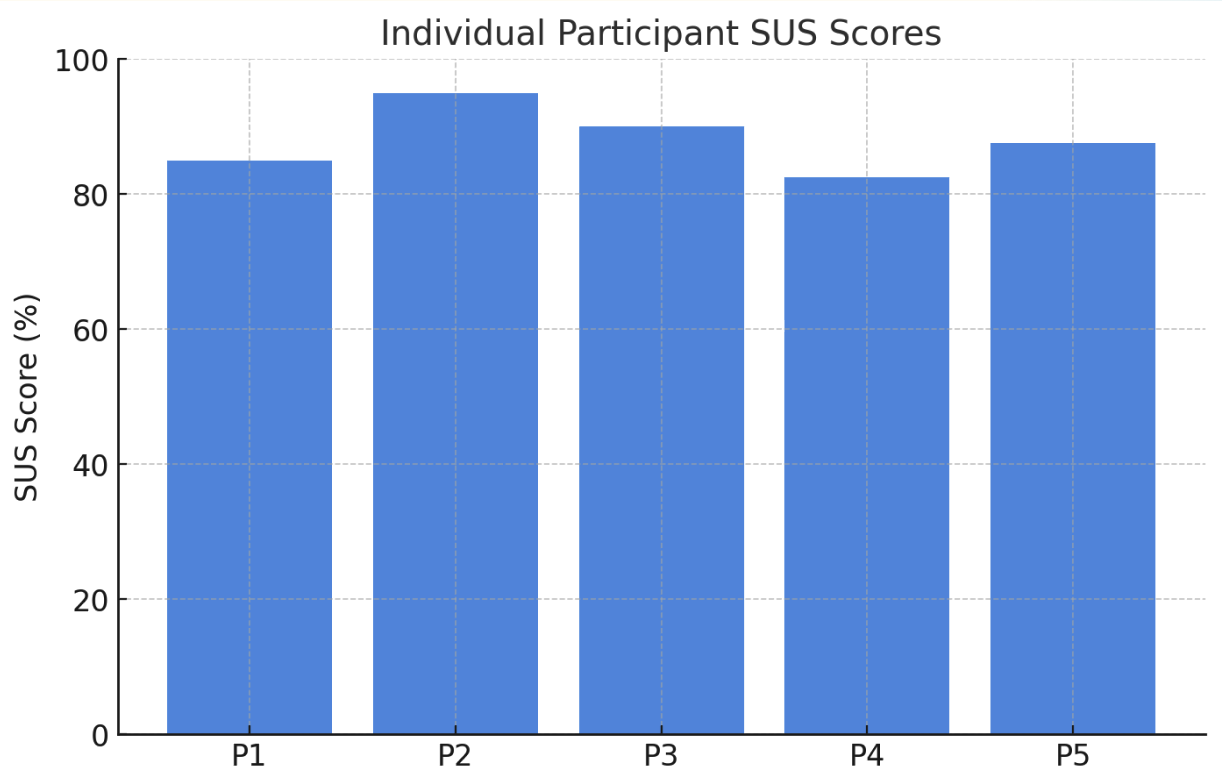
- Scored ~86 on the SUS scale across 5 usability sessions
Challenge
Traditional museum visits can feel passive and hard to navigate
Traditional museum visits can feel passive, especially for younger visitors and those who benefit from more interactive or multisensory content. Existing audio guides often separate information from the physical exhibits, and visitors can miss key context or feel unsure how to navigate the space.
My Contribution
What I owned on this project
Immerseum was a team project with Ben Agbo and Emmanuel Edigbe. My role covered four areas:
- Research - conducted research on museum visits, AR / XR experiences, and device compatibility
- UX Design - Supported interface design, onboarding flow, tour guide, navigational arrow, and the 3D model
- VFX Editing - produced the video prototype content and exhibit overlays in Adobe After Effects
- Usability Testing - designed the study protocol, facilitated 2 sessions, and analysed the results
Process
From research to a tested, high-fidelity AR prototype
Discover
- User interviews and surveys to uncover visitor pain points and unmet needs
- Reviewed existing research on AR, XR, and museum visitor behaviour to ground design decisions in evidence
- Competitor studies and industry trend reviews to understand how immersive technology could enhance museum engagement
Define
- Problem statement: "How might we design an AR museum experience that keeps people engaged, personal, and immersive?"
- User journeys mapped and navigation flows restructured around what visitors valued most
Develop
- Low-fidelity wireframes to visualise layouts and interactions early
- Iterative refinement into high-fidelity prototypes in Figma and Adobe After Effects
- Cohesive visual language developed: colour palette, typography, and iconography to reflect a calm, educational tone
Deliver
- Usability sessions ran with participants to validate flow, clarity, and ease of navigation
- Feedback led to improved arrow visibility, refined gestures, and clearer on-screen guidance
- Final high-fidelity AR prototype with a style guide to ensure consistency across future updates
User Flows
Mapping key journeys through the experience
Detailed user flows were mapped out to trace how visitors would move through onboarding, guided exhibition tours, and interactive moments, ensuring each path was logical, accessible, and free of unnecessary friction.

Click to view
Sketches
Early ideation and concept exploration
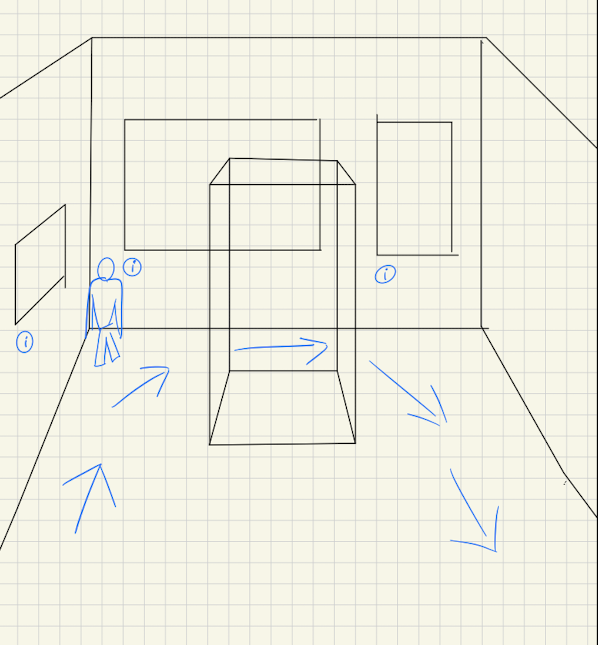
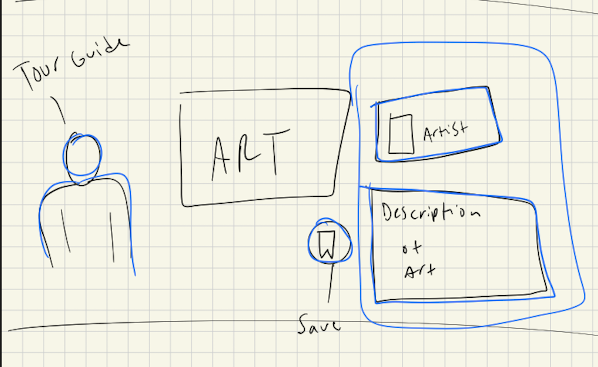
Low-fidelity sketches were used to rapidly explore layout options, navigation patterns, and key interaction moments before committing to high-fidelity work in Figma and After Effects.
Click to view
Click to view
Information Architecture
Structuring the experience
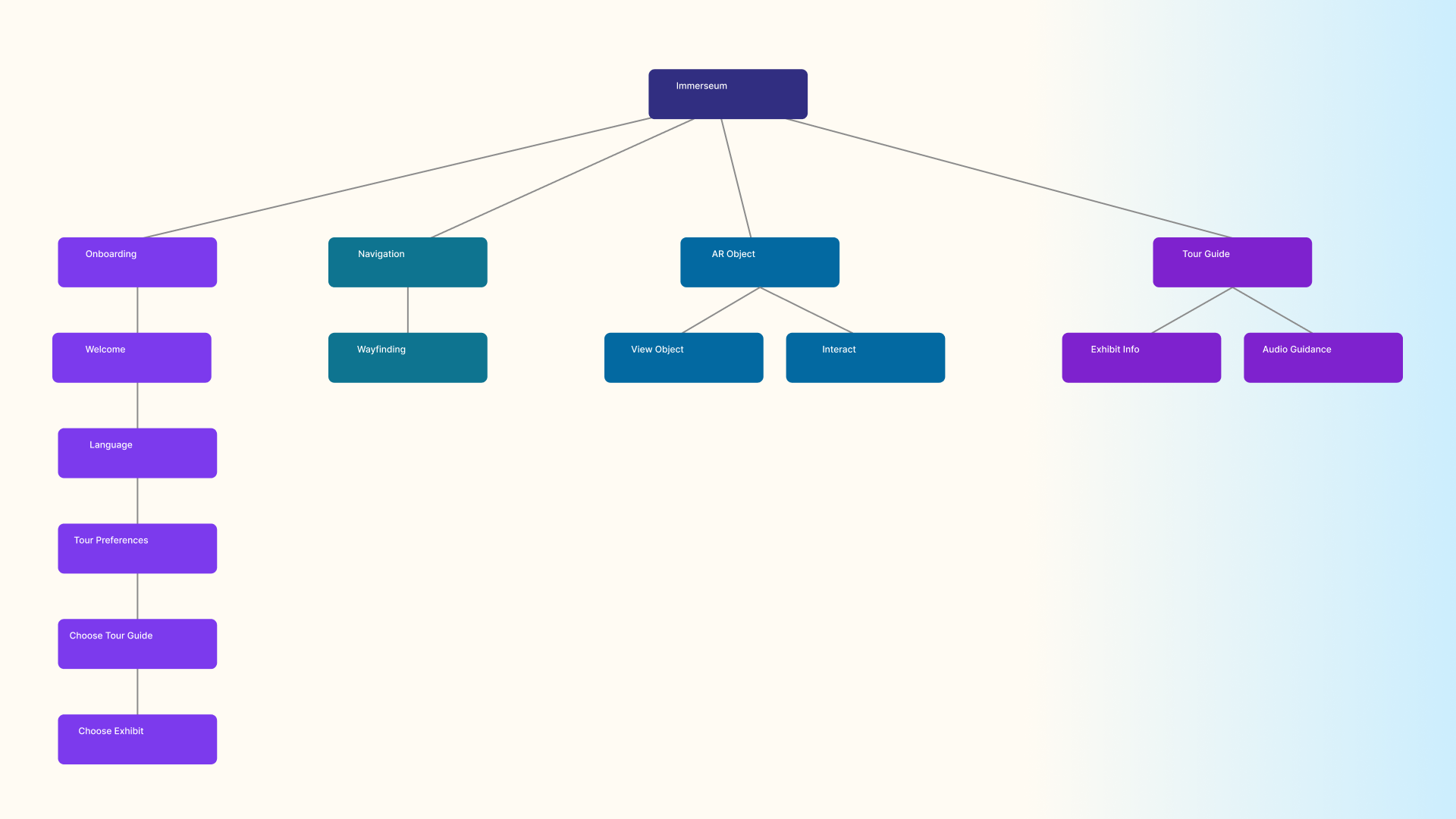
Before moving into visual design, the information architecture was mapped to define how content, navigation, and interactive zones would be organised across the experience, ensuring the structure supported both first-time visitors and returning users.
Click to view
System Architecture
How the components connect
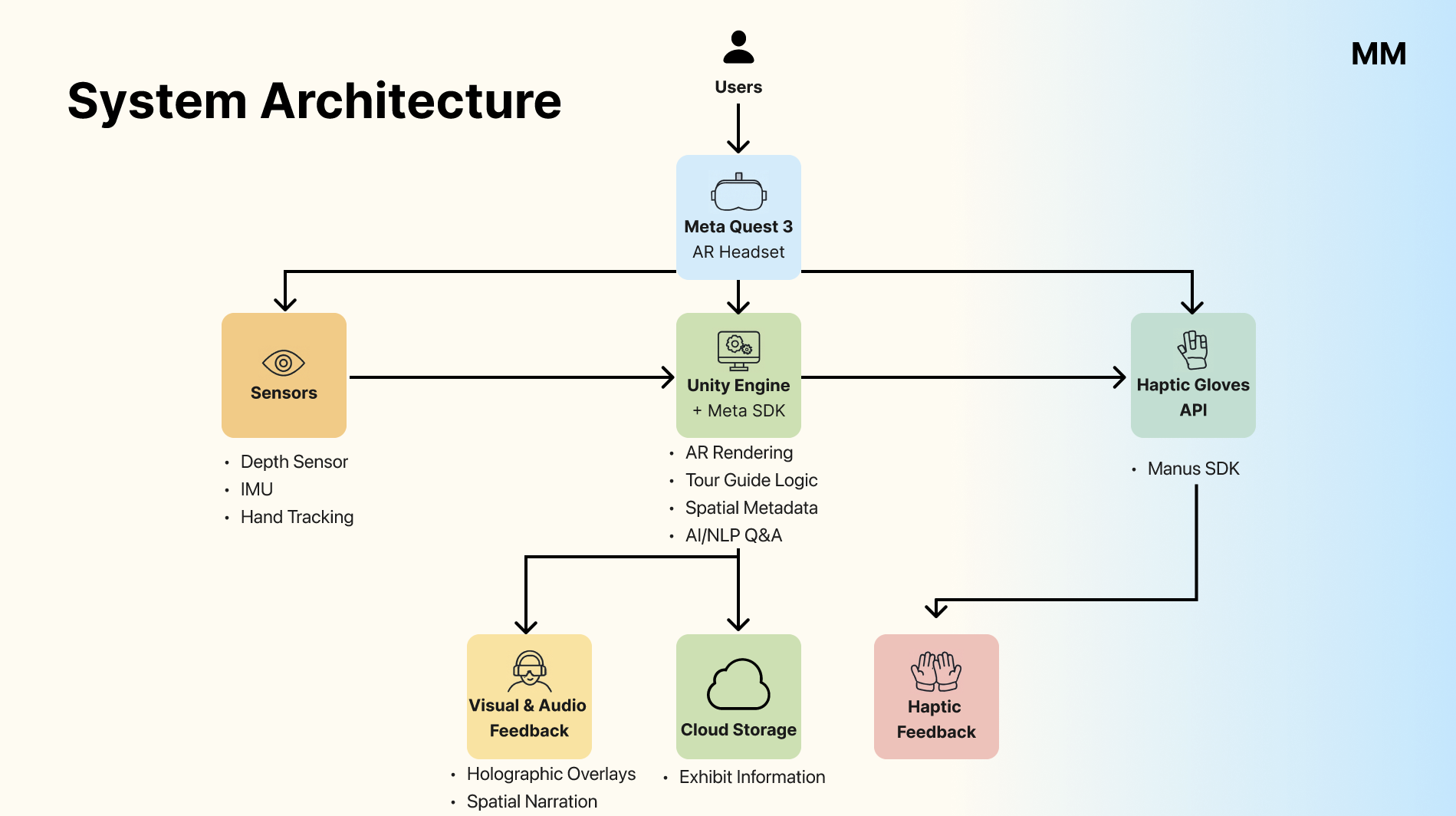
High-level system architecture diagram mapping how the key components (Meta Quest headset, Unity application, haptic device, and content management system) were planned to connect within the prototype experience.
Click to view
Prototype Walkthrough
Four key flows demonstrated in the prototype
Onboarding
Select your preferences, language, and see which exhibits are available.
3D Objects
View 3D objects for a more immersive experience.
Navigation
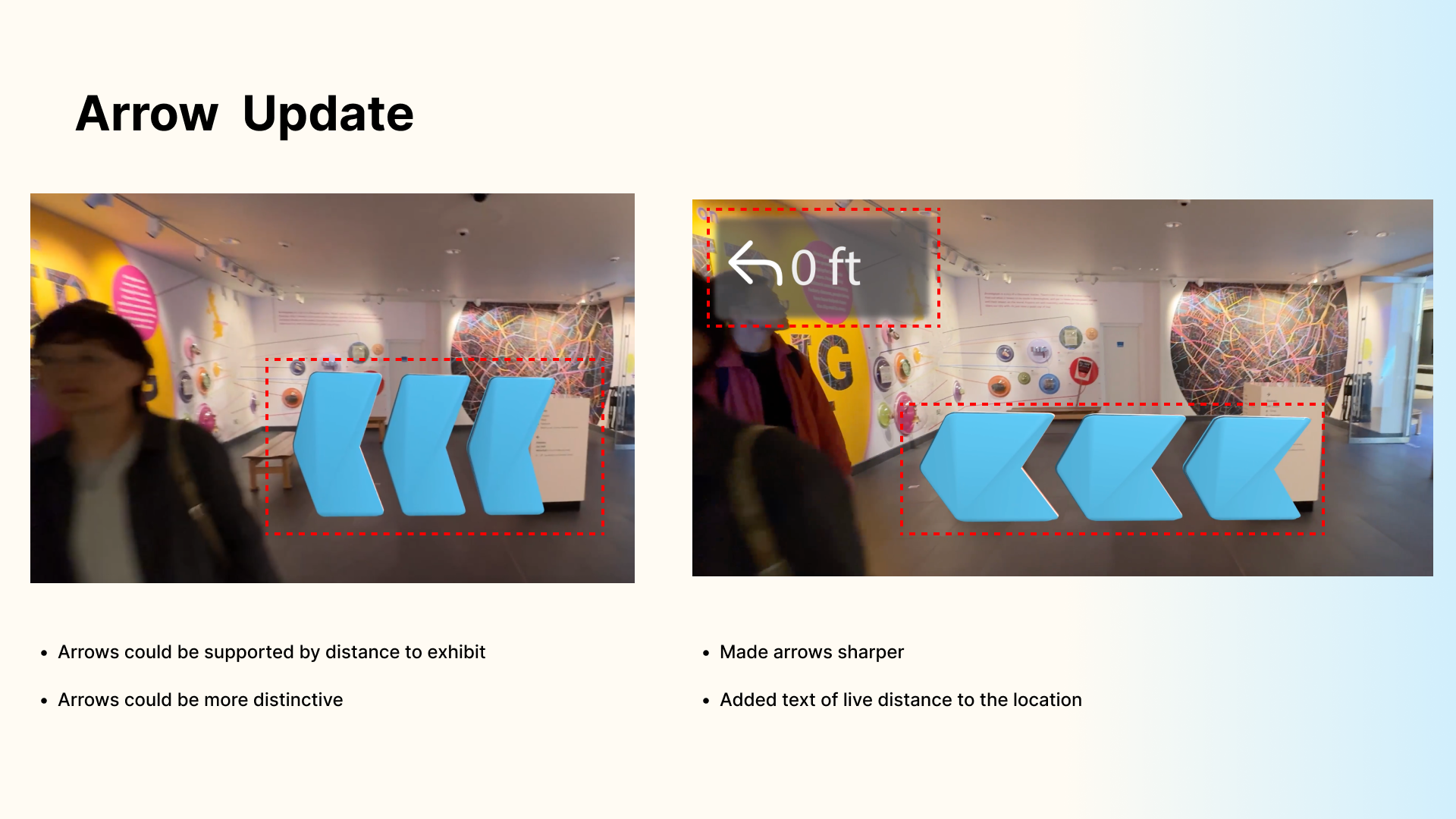
Arrow navigation with distance indicator to help visitors locate the next exhibit.
Tour Guide
Character-based guide providing content and narration with spatial audio.
Testing
Participant profiles and usability scores
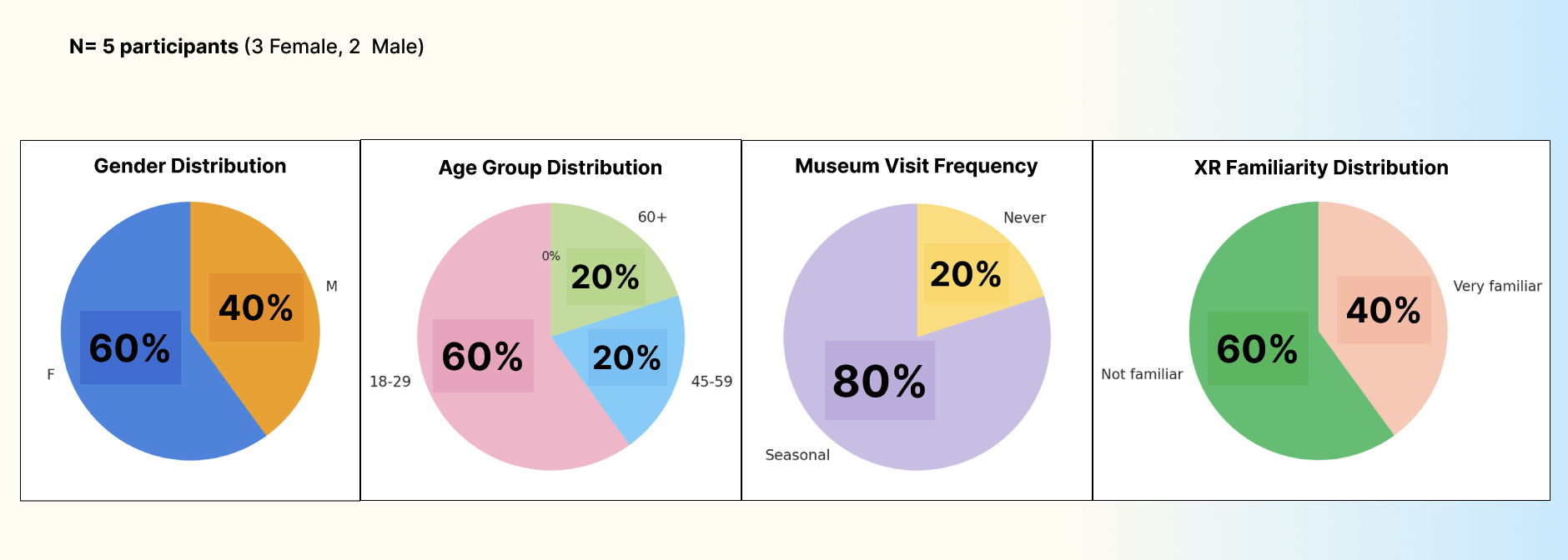
N=5 participants (3 Female, 2 Male). Participants were selected to represent a mix of age groups, museum visit frequencies, and AR familiarity. 40% identified as very familiar with AR, 60% as not familiar. 80% were seasonal museum visitors.
Click to view
Click to view
Key changes from testing
- Improved arrow visibility to make directional navigation clearer between exhibit zones
- Refined gesture interactions after participants found early gestures ambiguous or easy to trigger accidentally
- Added clearer on-screen guidance and prompts at key decision points in the flow
Click to view
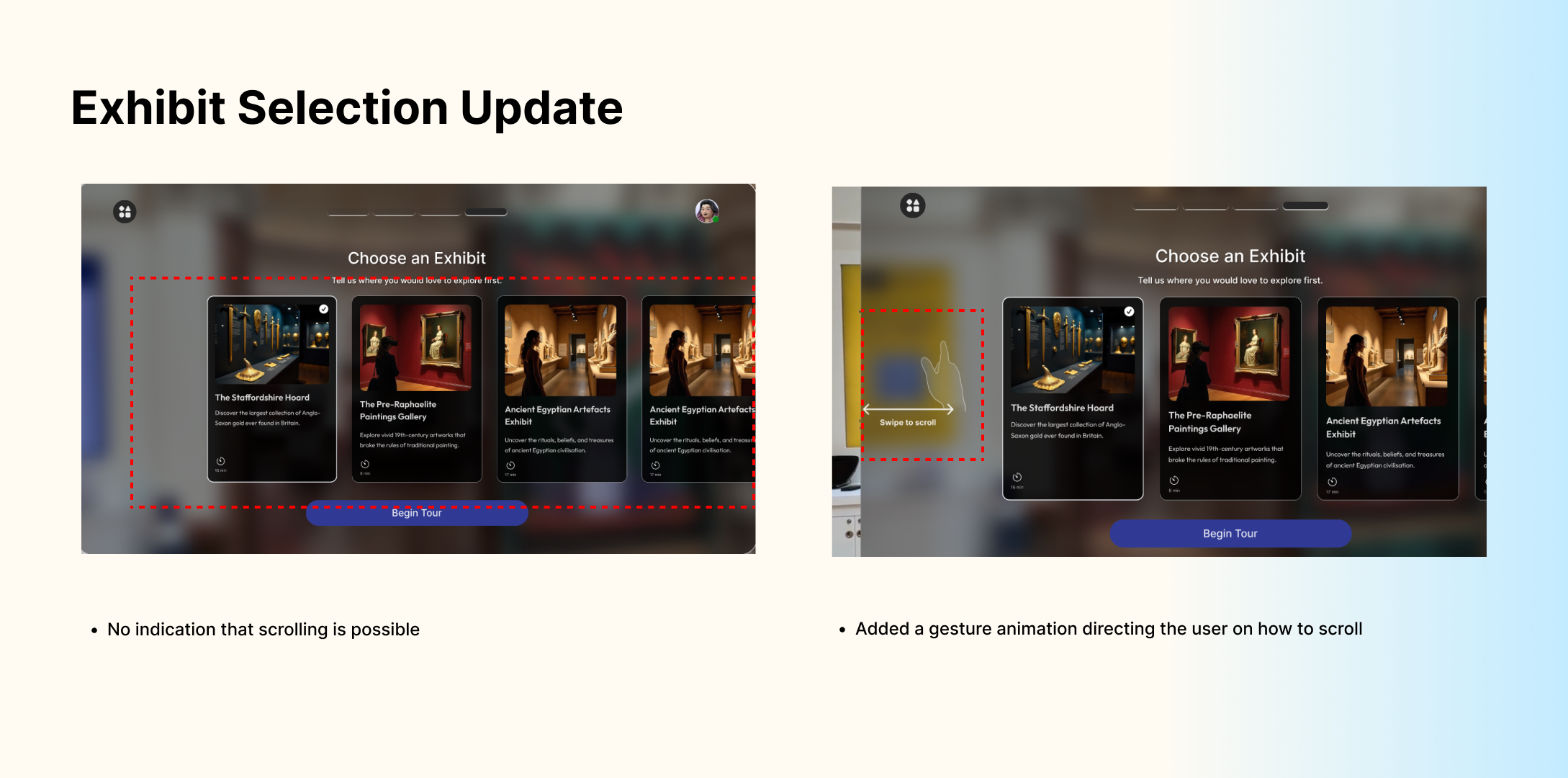
Click to view
Results
A tested AR concept for more engaging museum visits
Participants responded positively to the character-led narration and the personalised onboarding flow. The guided navigation reduced uncertainty about where to go next, and the haptic feedback concepts were well received as a way to make exhibit interaction feel more tactile and engaging.
The project showed that guided, character-led interaction can meaningfully lower the learning curve for unfamiliar AR interfaces, and that spatial overlays and multisensory feedback can strengthen the connection between a visitor and an exhibit.